How it works
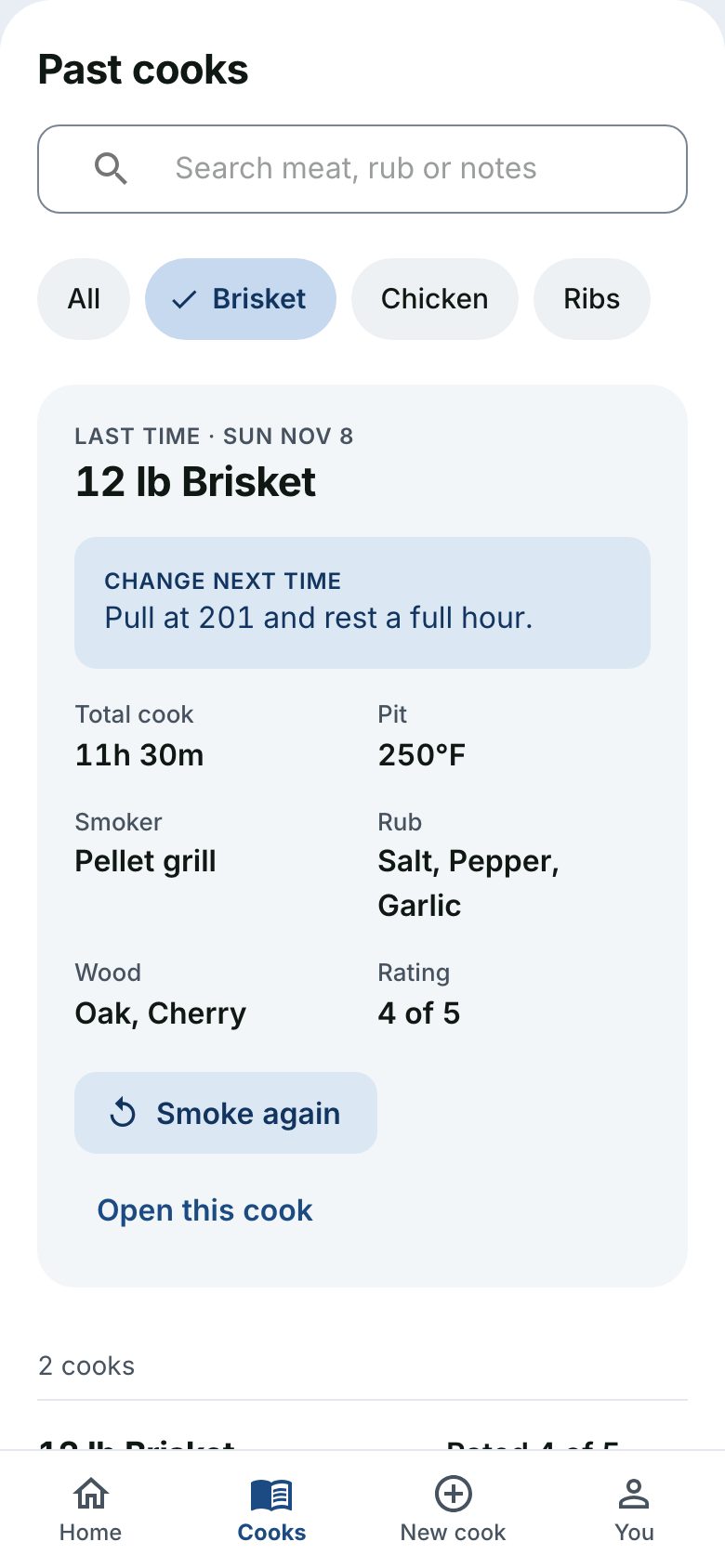
Start from your last cook
Pick the meat and the rest comes filled in from the last time you cooked it: weight, smoker, pit temperature, rub and wood. Change anything, then start.
Log as you go
Enter a temperature, tap Wrap, Spritz or Pull, add a note or a photo. Each one lands on the timeline at that moment. If the signal drops, what you log is kept on your phone and sent later.
Leave a note for next time
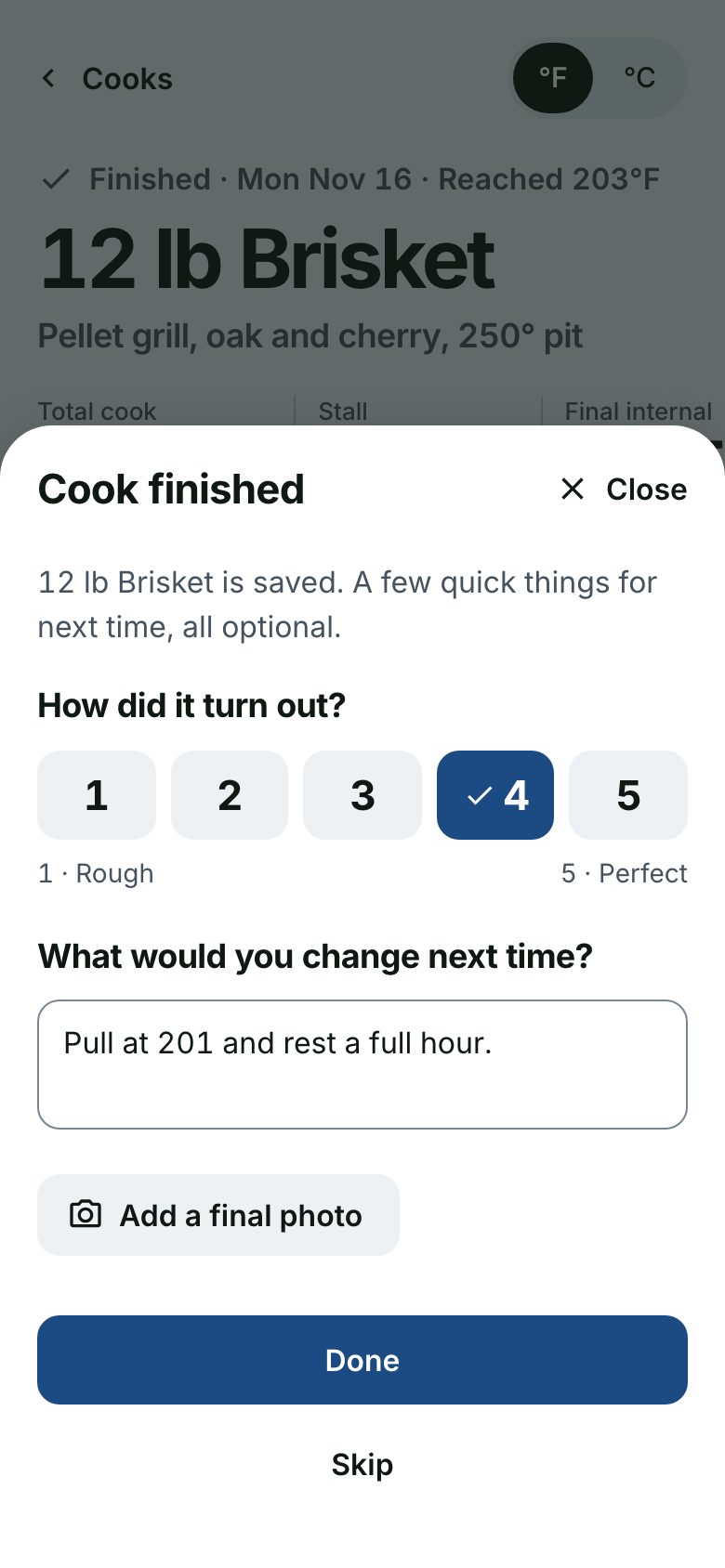
When it comes off, rate it and write what you would change. The next time you pick that meat, that note is the first thing you see.
One brisket, start to finish.
An example cook, followed from the first tap to the look back afterwards.
Start
Pick brisket. The rest is filled in.
Weight, smoker, pit temperature, rub and wood come from the last brisket. Change what is different today and start the cook.
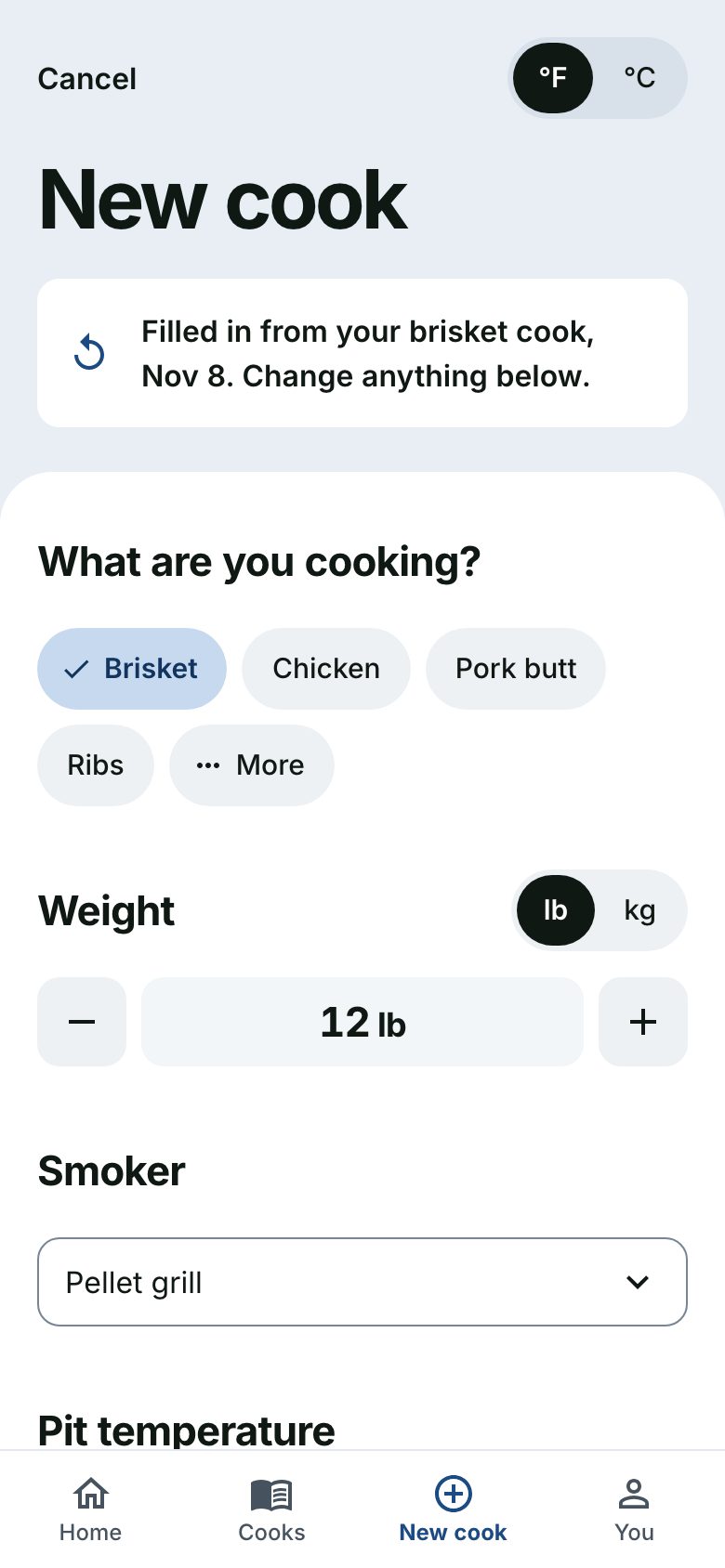
Example cook Five hours in
162°, wrapped, 41° to go.
One tap logs a temperature. Wrap and spritz are one tap each. The screen shows how far there is to go and what stage the cook is in.
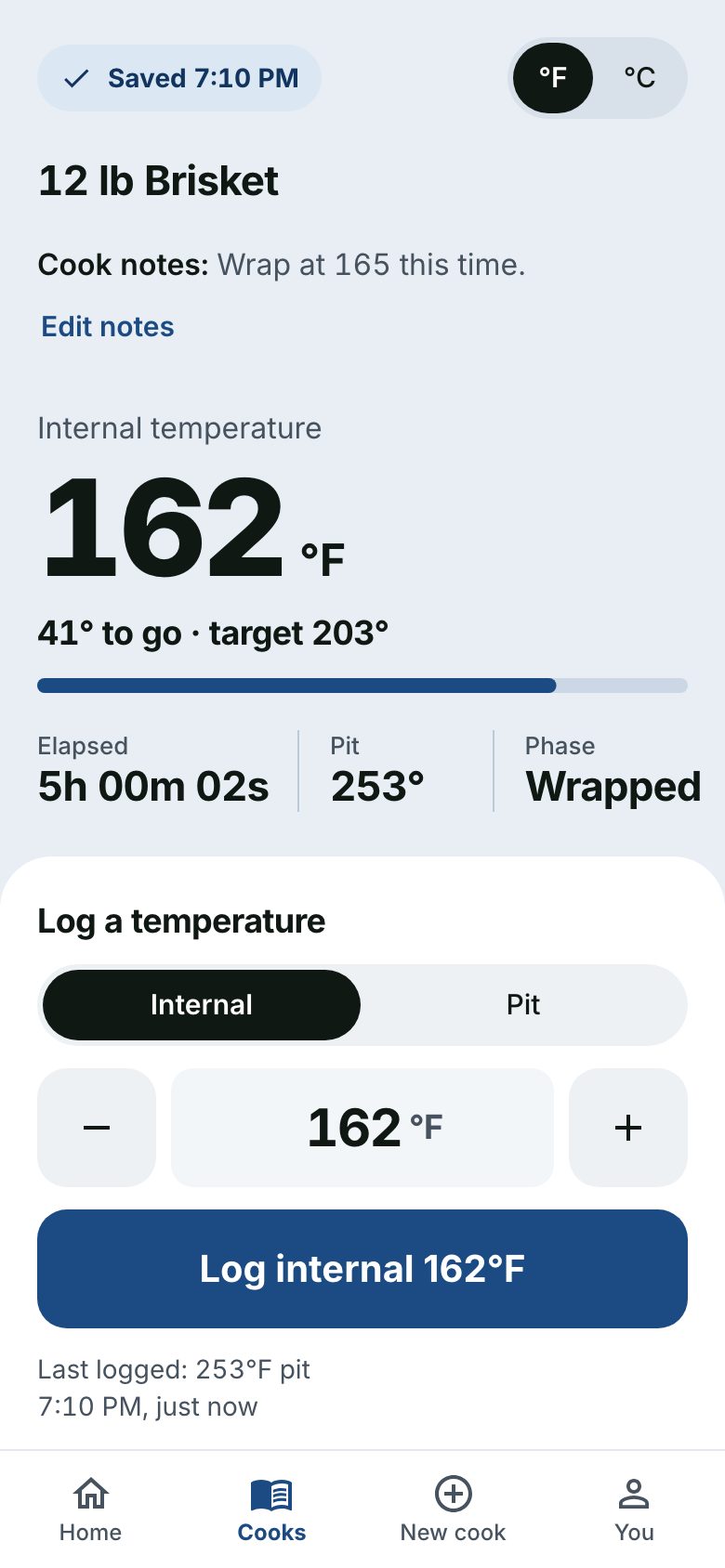
Example cook Off the smoker
Three quick things, all optional.
A rating, what you would change next time, and a final photo. Skip any of them and the cook is still saved.
Example cook
Afterwards
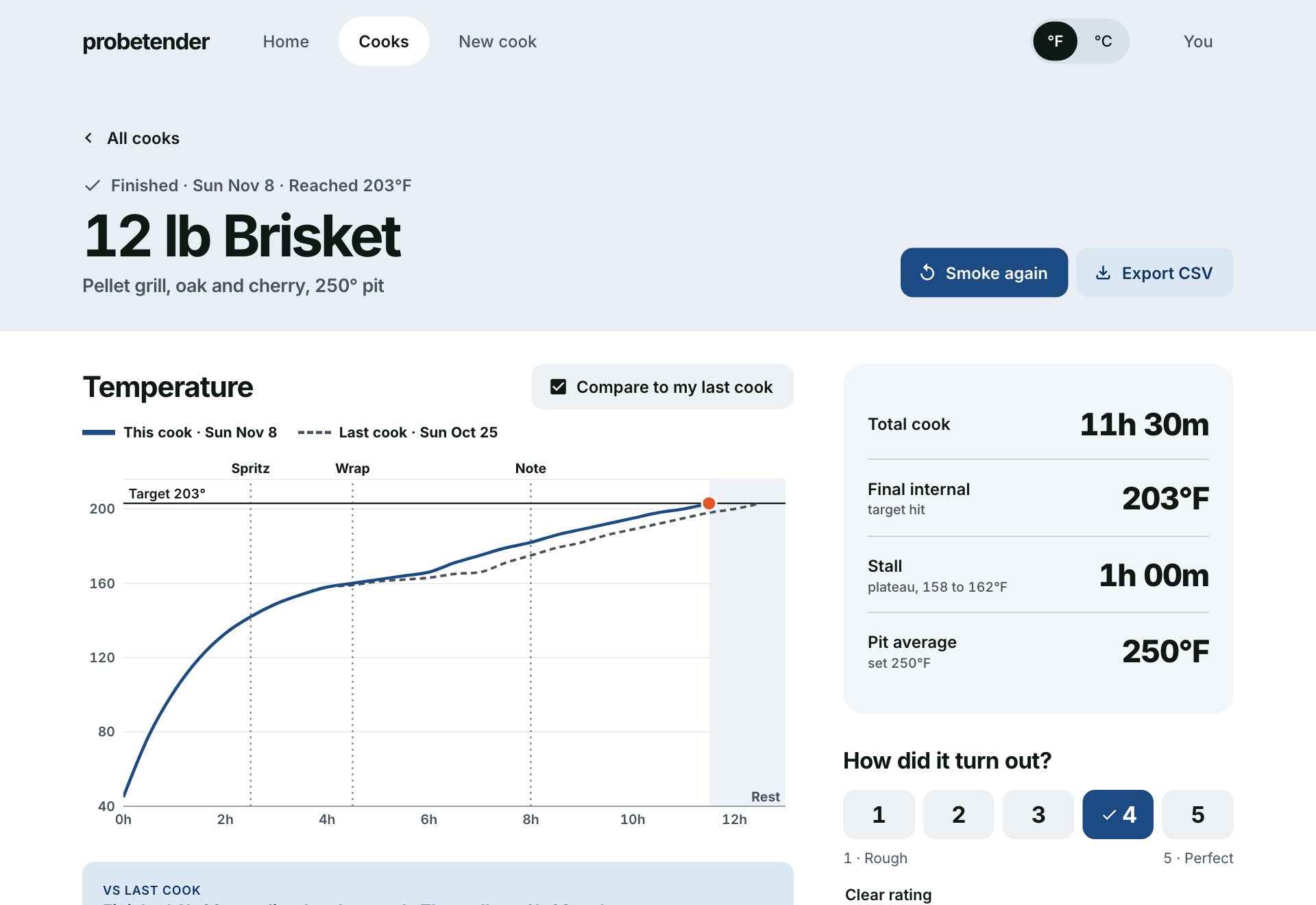
See how it went against the last one.
Every temperature, wrap and spritz on one chart, with your previous brisket laid over it. Compare how long each took, how long the stall ran and how hot the pit was.
What else it does
Search your cooks
Find a cook by meat, rub, notes or what you wanted to change.
Notes and photos on the timeline
Add them as you cook. Each one is pinned to the moment you added it.
Phone and computer
Log at the smoker on your phone. Look back on a bigger screen, with the chart at full size.
Your units
Fahrenheit or Celsius, pounds or kilograms. Switch any time.
Light and dark
Follows your device, or choose one yourself.
Your data stays yours
Export any cook, or all of them, to CSV. A cook you delete can be restored for 30 days.
Free
Everything on this page, with no limit on the number of cooks.